

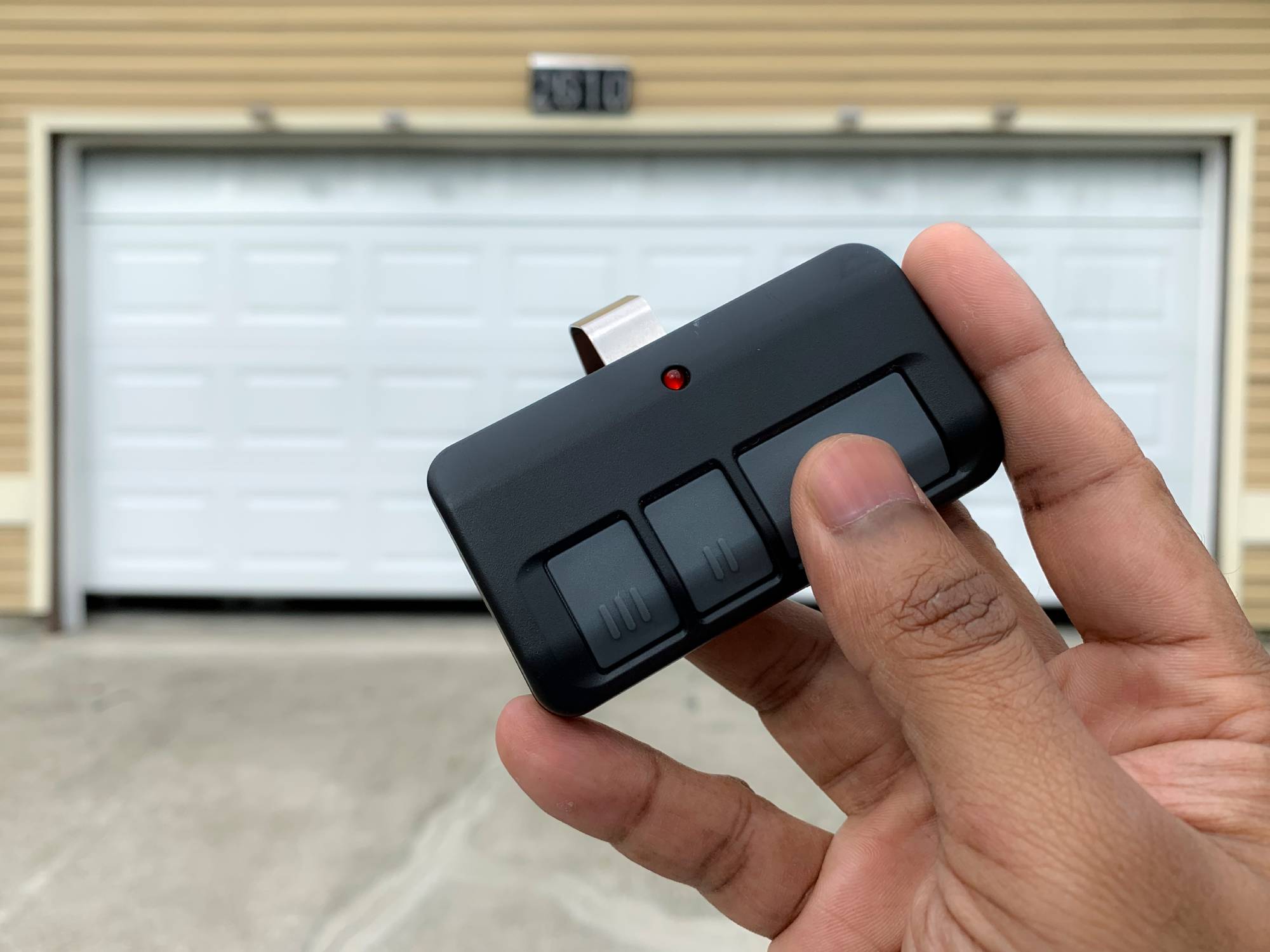
A new garage door remote should be easy to set up. But until it’s properly programmed, it won’t do anything.
The LiftMaster L993M 3-button remote has to be paired to your opener before it can send a signal the motor recognizes. The pairing happens through the Learn button on the opener. Once you know where the button is and follow the steps in order, the process should only take a few minutes.
In this guide, you will learn how to program the LiftMaster L993M remote using a simple method that works for most systems. This step-by-step approach will help you sync your remote quickly without needing technical support.
What Is the LiftMaster L993M 3-Button Remote?
The LiftMaster L993M is a 3-button remote that can run up to three garage doors or gate operators from one handheld transmitter. It uses Security+ 2.0 rolling code technology, which changes the signal every time you press a button to reduce the chance of code theft.
When reviewing LiftMaster L993M compatible garage door openers, you’ll find it works with many LiftMaster, Chamberlain, and Craftsman models manufactured after 1993, as long as the opener uses a compatible Learn button system.
Each button can be programmed for a specific door, and some opener setups also allow light or gate functions. Before starting Liftmaster 3 button remote programming, confirm your opener model supports the L993M.
Resolve Opener Problems
What You Need Before Programming Your LiftMaster Remote
Before you program the LiftMaster remote control, gather a few essentials to avoid delays during setup. Install fresh batteries in the L993M so you’re not troubleshooting a weak signal later. Make sure you have clear access to the garage door opener motor unit mounted on the ceiling. You’ll need to locate the Learn button, since that’s the essential to pairing.
Where to find the Learn Button on a LiftMaster Opener?
If you are wondering where the learn button is on the LiftMaster opener for L993M, you will find it on the back or side panel of the motor unit. It is usually placed near the antenna wire.
The Learn button comes in different colors, such as yellow, purple, red/orange, or green. These colors indicate different frequencies and compatibility ranges. Knowing the difference helps you understand how to program the LiftMaster remote with different opener models.
Book a Service Call
Step-by-Step Guide: How to Program Your LiftMaster L993M 3-Button Remote
Programming the L993M isn’t complicated once you understand the order. Follow the sequence below, and you’ll complete this step by step liftmaster remote programming guide in just a few minutes.
Step 1: Clear the Opener’s Memory (Optional but Recommended)
Clearing memory is helpful if you moved into a new home, lost a remote, or want to remove older remotes from the opener. Press and hold the Learn button on the opener for about six seconds. Release it when the LED turns off.
Doing this erases all previously paired remotes and keypads, so plan to reprogram anything you still use.
Step 2: Press the Learn Button on the Opener
Press and release the Learn button on the opener. You’ll see the LED light turn on, which means the opener is ready to pair. It stays active for about 30 seconds, so move on to the next step without waiting too long.
Step 3: Press the Button on Your L993M Remote
Within those 30 seconds, press and hold the button you want to assign on the L993M for about three seconds, then release it.
If pairing is successful, the opener lights will flash or you’ll hear two clicks. This confirms the signal was stored. The process is the same if you’re learning how to program a LiftMaster remote with yellow Learn button.
Step 4: Test the Remote
Stand within normal range and press the programmed button once. The door should open or close. If it doesn’t respond, repeat Steps 2 and 3 and confirm the battery is fresh.
Programming Additional Buttons (Optional)
Repeat the same steps for each button if you want to control multiple doors or gates. This helps when you need to sync the LiftMaster remote to the garage door opener across different systems.
Schedule Service Today
Troubleshooting: How to Reset Your LiftMaster Garage Door Remote
Even after following the steps, your remote may not work as expected. In that case, you can fix most issues with a few simple checks.
Remote Not Responding After Programming
Remove the battery and reinstall it after confirming the polarity is correct. Stand within 20 feet of the opener during programming to reduce signal issues.
If the remote still won’t respond, clear the opener’s memory by holding the Learn button until the LED turns off, then repeat the setup steps to reset the LiftMaster garage door remote before trying again. Many issues get resolved with a fresh start.
Can’t Find or Use the Learn Button?
Some older openers use DIP switches instead of a Learn button. In these systems, the switch pattern inside the remote must match the switch pattern inside the opener. If you’re searching for how to program LiftMaster L993M without the Learn button, check whether your opener relies on DIP switches. An incompatible system may call for replacement.
FAQs
Can I program my L993M remote to a Chamberlain or Craftsman opener?
Yes, you can connect it easily. These brands use the same technology, so how to sync the LiftMaster remote to the garage door opener remains the same across systems that support LiftMaster L993M programming.
What does the Learn button color mean on LiftMaster openers?
The Learn button color shows the frequency and system type of your opener. This helps during the LiftMaster 3-button remote programming and ensures you follow the correct steps for how to program a LiftMaster garage door remote.
Is the LiftMaster L993M compatible with all openers?
The remote works with most LiftMaster L993M compatible garage door openers made after 1993 using Security+ or Security+ 2.0 technology. Always check compatibility before starting the LiftMaster L993M remote programming.
How many remotes can I program to one opener?
Most systems that support LiftMaster garage door opener remote control programming allow up to 40 remotes. This gives you the flexibility to share access with family members while managing the LiftMaster garage door remote efficiently.
How long does it take to program a LiftMaster L993M remote?
You can complete the LiftMaster L993M programming in about 2 to 5 minutes using the Learn button method. Once you follow the steps, it becomes simple to program the LiftMaster remote control without any technical assistance.
Get Your LiftMaster Remote Working Today
At this point, you’ve seen exactly how to program a LiftMaster garage door remote using the Learn button method. Once you run through the steps yourself, LiftMaster L993M remote programming usually takes just a few minutes.
Go ahead and test the remote a couple of times to confirm everything responds the way it should. If the door doesn’t move, or you’re stuck repeating the process, it may be time to get a second set of eyes on it instead of cycling through resets.
Our team at Thompson Garage Doors is here to help when you need support. Whether it’s remote setup, opener troubleshooting, or full garage door repair, our team can get your system working the way it should. Call us today or schedule service online to get your garage door back on track.