

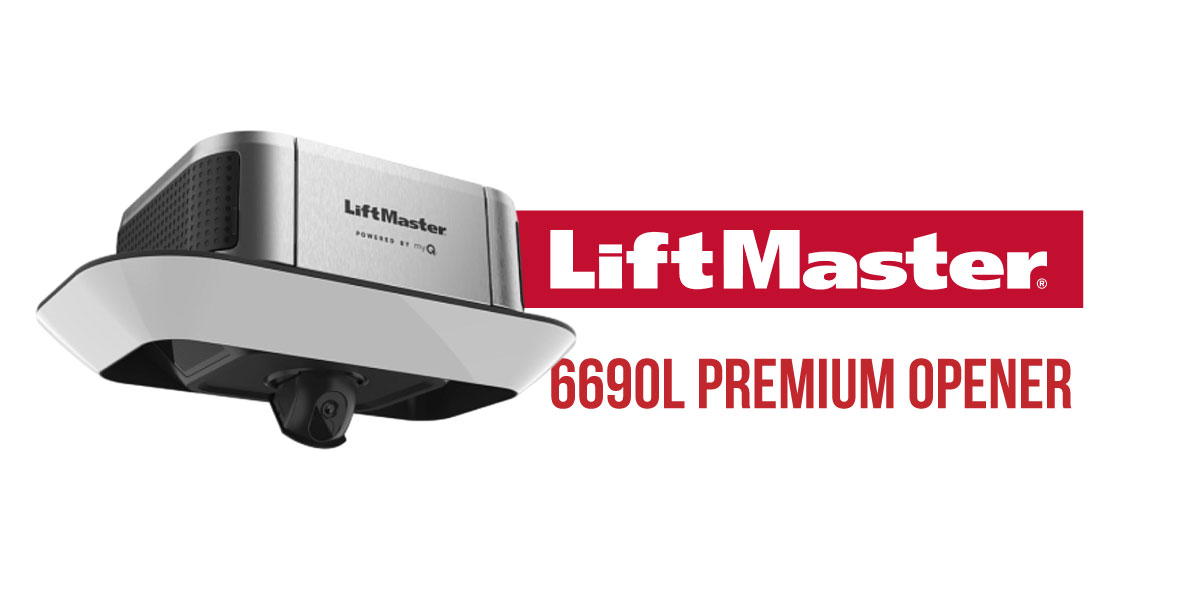
Part of LiftMaster’s Premium Series lineup, the 6690L is designed for homeowners who want more than basic open-and-close functionality. Along with a powerful belt-drive system, it includes built-in Wi-Fi, smartphone control through the myQ app, an integrated HD camera, battery backup, and enhanced Security+ 3.0 technology.
Whether you’re setting up a new opener or learning how to program LiftMaster 6690L accessories, this guide covers everything you need to know. We’ll cover all the essential steps, as well as answer common questions homeowners ask before buying.
LiftMaster 6690L at a Glance
- Premium Series belt-drive garage door opener
- Ultra-quiet steel-reinforced belt system
- Powerful 1 1/4 HP equivalent DC motor
- Built-in Wi-Fi and myQ connectivity
- Integrated 1080p HD garage camera
- Security+ 3.0 technology with a white Learn button
- Motion-activated LED lighting
- Battery backup included
- Amazon Key compatible for secure in-garage deliveries
One thing worth noting before you start any LiftMaster 6690L programming: this opener uses Security+ 3.0 technology and a white Learn button. Accessories designed for older LiftMaster systems, including many Security+ 2.0 devices, won’t work with this model.
Need help choosing the right opener for your garage? Thompson Garage Doors carries and installs the LiftMaster 6690L throughout Reno and Northern Nevada. Our team can help you compare models, recommend the best fit for your door, and handle the complete installation from start to finish.
Thompson Carries the LiftMaster 6690L – Get a QuoteAuthorized LiftMaster Dealer | 60+ Years of Experience | Serving Reno & Northern Nevada
LiftMaster 6690L Key Features
The LiftMaster 6690L is designed for homeowners who want quieter operation and better visibility into what’s happening inside their garage. Here’s a closer look at some of the features that make it one of LiftMaster’s most popular premium models.
1 1/4 HP Equivalent Motor: Plenty of power for larger residential garage doors, with smooth and quiet operation.
Security+ 3.0 Technology: Every time you use the opener, a new encrypted code is generated to help keep your garage secure and prevent unauthorized access.
Integrated 1080p HD Camera: See what’s happening inside your garage from anywhere using the myQ app. The built-in camera gives you an extra set of eyes.
myQ Smart Control: Control your garage door from your phone, get alerts when it’s opened or closed, create schedules, and manage access for family members or guests.
Motion-Activated LED Lighting: No need to fumble for a light switch. The LED lights turn on automatically when you walk into the garage.
Battery Backup: Even if the power goes out, you’ll still be able to open and close your garage door when you need to.
Amazon Key In-Garage Delivery: Have eligible Amazon packages delivered safely inside your garage for added security and peace of mind.
Compatibility Note: The LiftMaster 6690L uses Security+ 3.0 technology, so you’ll need compatible accessories such as the L957W or L958W wall controls, L979M or L979S keypads, and Security+ 3.0 remotes.
The Learn Button on Your LiftMaster 6690L – Security+ 3.0
If you’re setting up a new remote, connecting a keypad, or working through your LiftMaster 6690L programming, the Learn button is where you’ll start.
On most 6690L openers, you’ll find the Learn button on the motor unit itself, usually near the antenna on the side or back of the opener housing. You may need a step ladder to access it comfortably.
The LiftMaster 6690L Uses a White Learn Button
The 6690L is part of LiftMaster’s newest generation of smart openers and uses Security+ 3.0 technology identified by a white Learn button.
Essentially, the opener only works with Security+ 3.0 compatible accessories. In case you’re upgrading from an older LiftMaster system, there’s a good chance your existing remotes or keypad won’t be compatible.
Accessories designed for yellow, purple, or red/orange Learn button systems cannot be programmed to the 6690L.
What the Indicator Light Means
The LED light next to the Learn button provides helpful feedback during programming.
- LED turns on: The opener has entered programming mode and is ready to pair a device for about 30 seconds.
- LED blinks twice: The accessory has been successfully programmed.
- LED turns off after holding the Learn button for about 6 seconds: All stored remotes and keypad codes have been erased.
One quick tip: when programming accessories, always press and release the Learn button. Holding it down for too long can accidentally erase everything that’s already connected.
Compatible Accessories for the 6690L
Because the LiftMaster 6690L uses Security+ 3.0 technology, you’ll need Security+ 3.0 compatible remotes and accessories designed for the white Learn button platform.
Wall Controls
- L957W Motion-Detecting Wall Control
- L958W Smart Control Panel with Timer-to-Close
Wireless Keypads
- L979M Multi-Frequency Wireless Keypad
- L979S Security+ 3.0 Wireless Keypad
Remote Controls
- LiftMaster Security+ 3.0 compatible remotes
myQ Accessories
- Smart cameras
- Video keypads
- Smart locks
- Other myQ-connected devices
Before purchasing a new accessory, it’s always a good idea to verify compatibility. Using the correct Security+ 3.0 accessories will make programming much easier and help avoid connection issues later on.
Upgrade to Premium Garage Control
How to Program a Remote to the LiftMaster 6690L
Adding a new remote to the LiftMaster 6690L is simple and usually takes less than a minute. As long as you’re using a Security+ 3.0 compatible remote, the programming process is quick and easy.
Programming a New Remote
- Find the white Learn button on the opener.
- Press and release the Learn button. A quick press is all you need.
- The indicator light will come on, letting you know the opener is ready to learn a new device.
- Within 30 seconds, press and hold the button on your remote.
- Keep holding until the opener lights flash or you hear two clicks.
- Release the remote button.
- Press the button again to make sure everything is working properly.
Once the door responds, you’re all set.
Adding More Remotes
Need a remote for another vehicle or family member? Simply repeat the same steps for each additional remote. The 6690L can store multiple remotes, so it is easy for everyone in the household to have their own.
Clearing Remote Codes
Sometimes it makes sense to start fresh. Maybe a remote was lost, you’ve recently moved, or you’re replacing older accessories.
To erase all remotes and keypad codes:
- Press and hold the Learn button for about 6 seconds.
- Release it when the indicator light turns off.
To erase everything, including connected myQ devices:
- Hold the Learn button until the LED turns off.
- Release the button.
- Immediately press and hold it again.
- Release when the LED turns off a second time.
One Thing to Watch Out For
The most common mistake people make is holding the Learn button for too long. During normal programming, always use a quick press and release. Holding the button down activates the erase function and clears all programmed devices from the opener’s memory.
Setting Up myQ on the LiftMaster 6690L
One of the most popular LiftMaster 6690L features is its built-in Wi-Fi connectivity. There’s no separate gateway or additional hardware to install. Once connected, you’ll be able to monitor and control your garage door directly from the myQ app.
LiftMaster 6690L myQ Setup
Before you begin, make sure your phone is connected to your home’s 2.4 GHz Wi-Fi network and that you’ve downloaded the myQ app.
- Open the myQ app and create an account if you don’t already have one.
- Tap the + icon and select Garage Door Opener.
- Follow the instructions provided in the app.
- Press the Learn button on the opener when prompted.
- Allow the garage door to complete a full open-and-close cycle.
- Once setup is complete, the app will confirm that the opener is online and ready to use.
After your LiftMaster 6690L myQ setup is complete, you’ll be able to check the status of your garage door, receive activity notifications, create schedules, and control the door from virtually anywhere.
Built-In Camera Features
The 6690L stands apart from many other garage door openers thanks to its integrated HD camera.
Using the myQ app, you can:
- View a live 1080p HD video feed from inside your garage
- Receive video notifications when the door opens or closes
- Monitor deliveries, visitors, and garage activity while you’re away
- Pair the camera with Amazon Key for added delivery visibility
It’s a simple feature that gives homeowners a little extra peace of mind, especially when they’re away from home.
Keypad Programming (L979M & L979S)
Adding a wireless keypad makes garage access easy for family members, guests, or anyone who doesn’t always carry a remote.
Programming a compatible keypad only takes a few minutes.
- Press and release the Learn button on the 6690L.
- Within 30 seconds, enter your desired 4-digit PIN on the keypad.
- Press and hold the Enter button.
- When the opener lights blink, release the button.
- Enter your PIN and press Enter to test the keypad.
Once the door responds, your keypad is ready to use.
Get Expert 6690L Installation Today
HomeLink Programming
Many newer vehicles come equipped with HomeLink, allowing you to open and close your garage door using buttons built into your vehicle rather than a separate remote.
The LiftMaster 6690L is compatible with HomeLink 4.0 and newer systems.
Programming HomeLink to the 6690L
- Clear any existing HomeLink programming from your vehicle if necessary. Your owner’s manual will show you how.
- Press and release the Learn button on the opener.
- Within 30 seconds, return to your vehicle and press and hold the HomeLink button you’d like to use.
- When the opener lights blink, release the button.
- Test the HomeLink button to confirm the connection.
For Vehicles Using Rolling-Code Technology
Some vehicles require one additional step to complete the pairing process.
- Press and release the Learn button again.
- Return to your vehicle within 30 seconds.
- Press the programmed HomeLink button three times.
In most cases, the garage door will activate after the final press.
Once setup is complete, you’ll be able to open and close your garage door directly from your vehicle without carrying a separate remote.
LiftMaster 6690L Troubleshooting
Most issues with the 6690L can be resolved with a few quick checks. Before scheduling service, it’s worth working through some of the more common problems homeowners run into.
LiftMaster 6690L Remote Not Syncing
One of the most common programming issues happens when the wrong remote is being used.
Possible Cause: The remote isn’t compatible with Security+ 3.0.
What to Check:
- Confirm you’re using a Security+ 3.0 compatible remote.
- Verify the remote battery isn’t weak or dead.
- Repeat the programming process from the beginning.
- Make sure you’re pairing within the 30-second programming window.
Since the 6690L uses a white Learn button, older Security+ 2.0 remotes won’t connect.
LiftMaster 6690L Camera Not Working
The built-in camera relies on a stable Wi-Fi connection and an active myQ connection to function properly.
Possible Cause: The opener has lost its Wi-Fi connection or the myQ app needs to refresh.
What to Check:
- Confirm the opener is connected to Wi-Fi.
- Close and reopen the myQ app.
- Verify you’re logged into the correct myQ account.
- Check for app updates on your device.
In many cases, reconnecting the opener to Wi-Fi restores camera functionality.
6690L Wi-Fi Problem
Most connectivity issues come down to network settings or signal strength.
Possible Cause: The opener is connected to a 5 GHz network or the Wi-Fi signal is too weak.
What to Check:
- Use a 2.4 GHz Wi-Fi network.
- Confirm your router’s signal reaches the garage.
- Restart your router.
- Reset the opener’s Wi-Fi settings and reconnect.
To clear Wi-Fi settings, hold the adjustment button until you hear three beeps, then restart the setup process.
Garage Door Won’t Close
When the door starts to close and immediately reverses, the safety sensors are usually the first thing to inspect.
Possible Cause: Misaligned safety sensors or an obstruction in the sensor path.
What to Check:
- Make sure nothing is blocking the sensor beam.
- Confirm both sensor lights are illuminated.
- Adjust the sensors if they’re out of alignment.
- Clean the sensor lenses.
A quick sensor adjustment solves many door-closing issues.
Opener Runs but the Door Doesn’t Move
Hearing the opener run for a few seconds without any door movement is often a sign of a door-related issue rather than an opener problem.
Possible Cause: A broken garage door spring.
What to Do:
- Stop using the garage door immediately.
- Avoid attempting spring repairs yourself.
- Schedule professional service.
Garage door springs are under extreme tension and should only be handled by trained technicians.
Install a Smarter Garage Opener
LiftMaster 6690L Frequently Asked Questions
Can I view my garage camera while I’m away from home?
Yes. Once your LiftMaster 6690L myQ setup is complete and the opener is connected to Wi-Fi, you can access the live camera feed directly through the myQ app from virtually anywhere.
Why is my LiftMaster 6690L not working after replacing my router?
The opener may still be trying to connect to your previous network. Reset the Wi-Fi settings, reconnect the opener through the myQ app, and complete the setup process again using your new network credentials.
Can I use my older Security+ 2.0 remote with the 6690L?
No. The LiftMaster 6690L is designed exclusively for Security+ 3.0 accessories. Older remotes and keypads designed for Security+ 2.0 systems are not compatible.
Does the LiftMaster 6690L work during a power outage?
Yes. The built-in battery backup allows the garage door to continue operating when utility power is unavailable. While running on battery power, some features such as the camera, Wi-Fi connectivity, and LED lighting may be temporarily unavailable.
What security system does the LiftMaster 6690L use?
The 6690L uses Security+ 3.0 technology, identified by a white Learn button. This system uses encrypted communication and rolling-code technology to help protect against unauthorized access.
Does the 6690L camera work without a subscription?
Yes. Basic live video viewing through the myQ app is available without a subscription. Certain recording and video storage features may require a myQ subscription plan, depending on the services you want to use.
Install the LiftMaster 6690L in Your Reno Home – Same-Day Service Available
At Thompson Garage Doors, our factory-trained technicians handle every part of the installation process, from selecting the right opener to completing your LiftMaster 6690L myQ setup, programming remotes, connecting keypads, and making sure everything is working exactly as it should.