

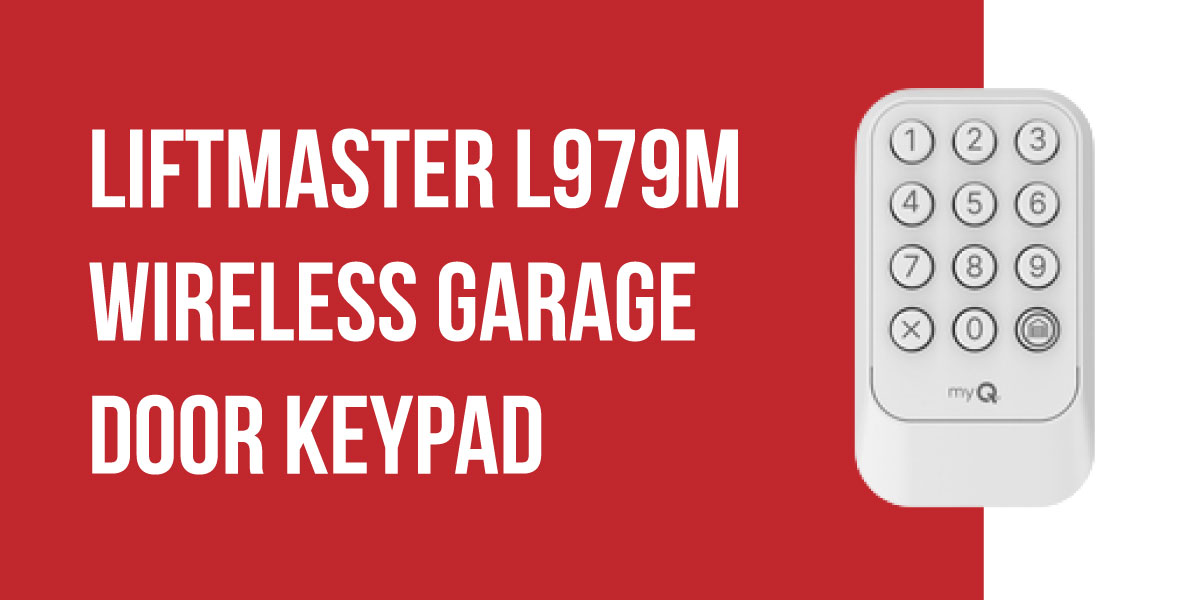
At Thompson Garage Doors, the LiftMaster L979M is one of the most popular keypad upgrades we install for homeowners across Reno and Northern Nevada. It provides convenient keyless access to your garage without requiring a remote, key, or smartphone every time you come and go.
The LiftMaster L979M Wireless Keypad MAX is also one of LiftMaster’s most versatile keypad options. It works with most LiftMaster, Chamberlain, Craftsman, and Raynor openers manufactured since 1997.
In this LiftMaster L979M guide, we’ll go over programming, myQ features, temporary PIN setup, troubleshooting tips, and everything you need to get your keypad up and running.
Quick Facts About the L979M
- Compatible with most LiftMaster, Chamberlain, Craftsman, and Raynor openers manufactured since 1997.
- Works with white, yellow, purple, and red/orange Learn button systems.
- Supports myQ management when paired with compatible Security+ 3.0 openers.
- Allows temporary and guest PIN creation.
- Backlit keypad with weather-resistant flip cover.
- Battery-powered design with no wiring required.
Authorized LiftMaster Dealer | Factory-Trained Technicians | Reno & Northern Nevada
Thompson Carries the L979M – Get Yours Installed TodayWhy the L979M Is the Right Keypad for Most Homes
One of the biggest challenges with replacement keypads is figuring out whether they’ll work with your opener. The L979M is compatible with most LiftMaster, Chamberlain, Craftsman, and Raynor openers manufactured since 1997. Whether your opener is relatively new or has been around for years, there’s a good chance the L979M will work with it.
What Homeowners Like About the L979M
- Works with most LiftMaster, Chamberlain, Craftsman, and Raynor openers made since 1997.
- Automatically detects the correct frequency during setup.
- Supports myQ features on compatible Security+ 3.0 openers.
- Allows temporary PINs for guests, contractors, dog walkers, and service providers.
- One-touch door closing with the HOME button.
- Backlit keypad for easier nighttime use.
- Weather-resistant housing with a protective flip cover.
- Battery-powered installation with no wiring required.
The keypad is also surprisingly flexible. Need to give someone access for a few days? You can create a temporary code instead of sharing your family’s regular PIN. Once it’s no longer needed, simply remove it.
L979M vs. L979S
If you’re deciding between the L979M and L979S, the main thing to look at is your opener.
The L979M works with multiple generations of LiftMaster openers and supports all Learn button colors.
The L979S is designed specifically for Security+ 3.0 openers with a white Learn button.
If you’re not completely sure which opener you have, or you simply want the garage door keypad in Reno, NV that works with the widest range of systems, the L979M is usually the easiest choice.
Upgrade to Smart Keypad Entry
How to Program the LiftMaster L979M Keypad
Getting started with the LiftMaster L979M programming process is simple, and the steps usually take just a few minutes.
Method 1: Programming Through the Learn Button
This method works with all compatible LiftMaster, Chamberlain, Craftsman, and Raynor openers.
Step 1: Put the Keypad Into Programming Mode
Press and hold the 0 and 3 buttons together for about 10 seconds. When the keypad LED flashes four times, it’s ready to be programmed.
Step 2: Put the Opener Into Learn Mode
Head to your garage door opener and press the Learn button once. This opens a short programming window so the keypad can communicate with the opener.
Step 3: Create Your PIN
Return to the keypad, enter the 4-digit PIN you’d like to use, and press the HOME button.
Step 4: Wait for Confirmation
The opener light should flash, or you may hear two clicks from the motor unit. That’s your confirmation that the PIN has been stored successfully.
Step 5: Test Everything
Enter your PIN and press HOME. If the door opens or closes, you’re all set.
Method 2: QR Code Setup for Security+ 3.0 Openers
If your opener has a white Learn button and supports Security+ 3.0, setup can be even easier through the myQ app.
- Open the myQ app and sign in to your account.
- Locate the QR code on the back of the keypad.
- Tap Add Device and select Keypad.
- Scan the QR code.
- Follow the prompts to finish setup and create your PIN.
Once connected, you can manage keypad settings directly through the app.
Changing Your PIN
Need to update your code? There’s no need to start from scratch.
- Press and hold the 0 and 9 buttons for about 10 seconds.
- Wait for the LED to flash twice.
- Enter your new PIN and press HOME.
- Enter the PIN again and press HOME to confirm.
Erasing All PINs
Whether you’re troubleshooting, moving, or simply want a fresh start, you can clear all stored codes from the keypad.
- Press and hold the 0 and 9 buttons for about 10 seconds.
- Continue holding until the LED flashes four times.
- Release the buttons and wait about 30 seconds.
After the reset is complete, all PINs will be removed and the keypad will be ready to be programmed again.
How to Set a Temporary or Guest PIN on the LiftMaster L979M
Need to give someone access to your garage without sharing your family’s main PIN? With the L979M, you can create temporary codes for guests, service providers, contractors, or anyone else who needs access for a limited time.
The best part is that these codes can automatically expire after a certain number of hours or after they’ve been used a specific number of times.
Creating a Temporary PIN That Expires After a Set Time
- Press and hold the HOME button until the keypad LED begins flashing.
- Enter the number of hours you want the PIN to remain active.
- Press the HOME button.
- Enter the 4-digit temporary PIN you’d like to use.
- Press HOME again to save it.
Once activated, the PIN will automatically stop working after the selected number of hours.
Creating a Temporary PIN That Expires After a Certain Number of Uses
Need to limit access to a specific number of entries instead of a time period? The L979M can do that too.
- Press and hold the HOME button until the LED flashes.
- Enter the number of times the code can be used.
- Press the * button.
- Enter your 4-digit temporary PIN.
- Press HOME to save it.
After the code has been used the specified number of times, it will automatically expire.
A Few Things to Keep in Mind
- Temporary PINs must be different from your permanent PIN.
- Closing the door with the HOME button counts as a use when you’re using count-based access.
- Temporary PINs can be removed early if needed.
- When paired with a Security+ 3.0 opener, temporary PINs can also be managed through the myQ app.
A Simple Security Upgrade
Whenever someone needs short-term access to your garage, a temporary PIN is usually a better option than sharing your primary code. It gives you more control over who can enter and eliminates the need to remember changing your permanent PIN later.
Get Your L979M Installed Today
LiftMaster L979M myQ App Integration
The L979M works great as a standalone keypad, but if you have a compatible Security+ 3.0 opener, you can unlock even more functionality through the myQ app. Instead of managing everything at the keypad, you’ll be able to handle PINs, schedules, and access settings right from your phone.
What You Can Do in the myQ App
Once connected, you can:
- Add, edit, or remove PIN codes from your phone.
- Create and manage temporary PINs for guests or service providers.
- Set schedules that limit when certain PINs can be used.
- View a history of keypad activity.
- Receive notifications when the keypad is used.
- Monitor keypad battery status.
For busy households, these features make it much easier to manage garage access without constantly updating codes at the keypad itself.
Connecting the L979M Using the QR Code
The fastest way to complete L979M myQ app setup is with the QR code located on the keypad.
- Download and open the myQ app.
- Sign in or create a myQ account.
- Locate the QR code on the back of the keypad.
- Tap Add Device and select Keypad.
- Scan the QR code and follow the prompts to complete setup.
Once connected, you can manage PINs, schedules, and access settings directly from the app.
Connecting Without the QR Code
If the QR code isn’t available, you can still connect the keypad through your opener’s existing myQ connection.
Start by completing the standard LiftMaster L979M programming process using the opener’s Learn button. After the keypad is paired with the opener, follow the instructions in the myQ app to add the keypad to your account.
A Quick Compatibility Note
myQ keypad management is only available when the L979M is paired with a Security+ 3.0 opener that uses a white Learn button.
If you have an older Security+ or Security+ 2.0 opener, the keypad will still work normally for PIN-based access, but app-based management features won’t be available.
LiftMaster L979M Troubleshooting
Most issues with the L979M can be resolved in just a few minutes. Before replacing the keypad or calling for service, it’s worth running through a few basic checks.
PIN Works, But the Door Doesn’t Open
A PIN that was entered correctly but doesn’t activate the door is usually the result of an incomplete programming process.
What to try:
- Clear the keypad memory by holding 0 and 9 for 10 seconds until the LED flashes four times.
- Reprogram the keypad using the opener’s Learn button.
- Make sure the Learn button sequence is completed within the programming window.
Keypad Isn’t Responding
If none of the buttons light up or respond, the battery is usually the first thing to check.
What to try:
- Replace the existing battery with a fresh 9V alkaline battery.
- Check that the battery is installed correctly.
- Test the keypad again after replacing the battery.
PIN Worked Before but Stopped Working
Sometimes a garage door opener is reset during service, power interruptions, or other programming changes. When this happens, the keypad may lose communication with the opener.
What to try:
- Reprogram the keypad using the opener’s Learn button.
- Test the PIN after programming is complete.
Temporary PIN Isn’t Working
A temporary code may have expired or may not have been accepted during setup.
What to check:
- Confirm the temporary PIN is different from any permanent PIN already stored.
- Verify the time limit or usage limit hasn’t been reached.
- Create a new temporary PIN and test again.
myQ App Doesn’t Recognize the Keypad
The L979M works with many opener generations, but app-based keypad management requires a compatible Security+ 3.0 opener.
What to check:
- Confirm your opener uses a white Learn button.
- Verify the opener is connected to your myQ account.
- Re-scan the keypad QR code if necessary.
Even if myQ management isn’t available, the keypad can still be programmed and used normally through the opener’s Learn button.
Battery Replacement for the LiftMaster L979M
The L979M uses a standard 9V alkaline battery and does not require any wiring.
Replacing the Battery
- Open the keypad’s protective flip cover.
- Remove the battery compartment cover on the back of the keypad.
- Remove the old battery and install a new 9V alkaline battery.
- Close the compartment and test the keypad.
Replacing the battery does not erase your stored PINs, so you won’t need to go through the programming process again.
Control Garage Access With Ease
LiftMaster L979M Frequently Asked Questions
Is the L979M designed for outdoor use?
Yes. The keypad is built for outdoor installation and includes a weather-resistant housing with a protective flip cover to help protect it from the elements throughout the year.
Can I use the L979M with HomeLink?
HomeLink connects directly to your garage door opener, not to the keypad itself. The L979M doesn’t play a role in HomeLink programming, but you can use both systems at the same time.
Will replacing the battery erase my PIN codes?
No. The keypad stores your programming information separately, so replacing the 9V battery won’t erase your saved PINs or require you to set everything up again.
Does the L979M work with older garage door openers?
In many cases, yes. A big benefit of the L979M is its broad compatibility with LiftMaster-family openers dating back to 1997. As long as the opener has a Learn button, there’s a good chance the keypad will work with it.
Can I manage the L979M from my phone?
Yes, when the keypad is paired with a compatible Security+ 3.0 opener. Through the myQ app, you can create PINs, manage guest access, set schedules, view activity history, and receive notifications whenever the keypad is used.
What’s the difference between the L979M and L979S?
The biggest difference is compatibility. The L979M works across multiple opener generations and Learn button colors, while the L979S is designed specifically for Security+ 3.0 openers with a white Learn button. If you’re not completely sure which opener you have, the L979M is usually the safer option.
What openers work with the LiftMaster L979M?
The L979M is designed to work with most LiftMaster, Chamberlain, Craftsman, and Raynor garage door openers manufactured since 1997. It supports all Learn button colors, including white, yellow, purple, and red/orange.
Add Keyless Entry to Your Garage – Thompson Installs the LiftMaster L979M in Reno
Thompson Garage Doors stocks and installs the LiftMaster L979M throughout Reno, Sparks, Carson City, Truckee, Lake Tahoe, and surrounding Northern Nevada communities. Our team can help with keypad installation, programming, and compatibility checks to make sure everything works seamlessly with your existing opener.
Authorized LiftMaster Dealer | Factory-Trained Technicians | 60+ Years Serving Northern Nevada